Creating serving networks
Users with the required authorisation permissions can create a serving network – or radio network used to access Vodafone’s IoT Services – within the Vodafone Business Managed IoT Connectivity Platform.
If you have the necessary authorisation level, you can do this by following the steps below.
To create a serving network
From the menu to the left of the home page, select Configuration then choose Serving Networks from the dropdown menu that appears.
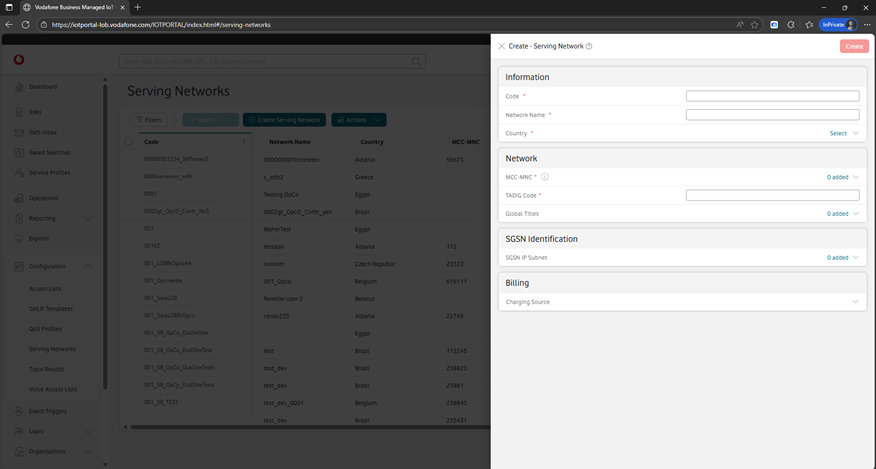
Click on Create Serving Network. (If you can't see this button, you do not have the required authorisation level to create a new service profile.)
In the Create - Serving Network window, enter the details of your new serving network, including a Code, Network Name and TADIG Code.
Then click on Create in the top right corner of the page to save your changes and create the new serving network.
Can't find what you're looking for?

Your IoT administrator
Talk to the IoT administrator in your company. They understand your system best.

