Editing P2P SMS ACLs
It’s easy to edit the details of a P2P SMS ACL within the Vodafone Managed IoT Connectivity Platform – as long as you have the necessary authorisation level.
To edit P2P SMS access lists
From the menu on the left of the Vodafone Managed IoT Connectivity Platform Dashboard or home page, select Configuration then choose P2P SMS Access Lists from the dropdown menu that appears.
On the P2P SMS Access Lists page, select the P2P SMS Access List you want to edit.
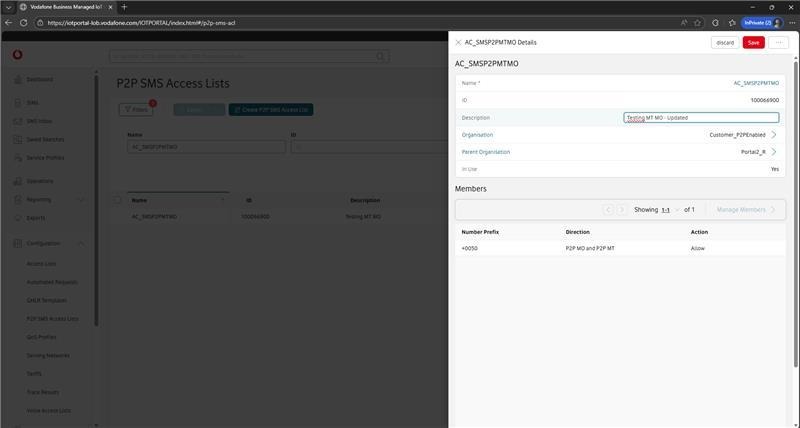
The Details window is displayed.
Here, you can edit details such as Name, ID, and Organisation. When you have finished, select Save to confirm your modifications (or Discard if you do not want to save the changes).
Can't find what you're looking for?

Your IoT administrator
Talk to the IoT administrator in your company. They understand your system best.

