Exporting portal interactions
You can view actions performed within the Vodafone Business Managed IoT Connectivity Platform by navigating to the Portal Interactions section, where you can also export the information shown – as long as you have the necessary authorisation level.
To export portal interactions
From the menu to the left of the home page, select Reports then choose Portal Interactions from the dropdown menu that appears.
On the Portal Interactions page, select Export.
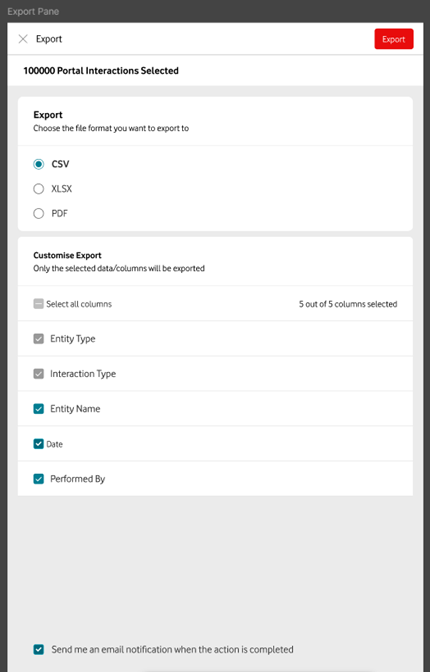
This will open the Export window, where you can choose the information you want to export and the format to which you want to export it.
If you want to receive an email confirmation, simply tick the Send me an email notification when the action is completed box at the bottom of the screen.
Can't find what you're looking for?

Your IoT administrator
Talk to the IoT administrator in your company. They understand your system best.

