Viewing trace results
You can view the details of trace results on the Trace Results page of the Vodafone Business Managed IoT Connectivity Platform.
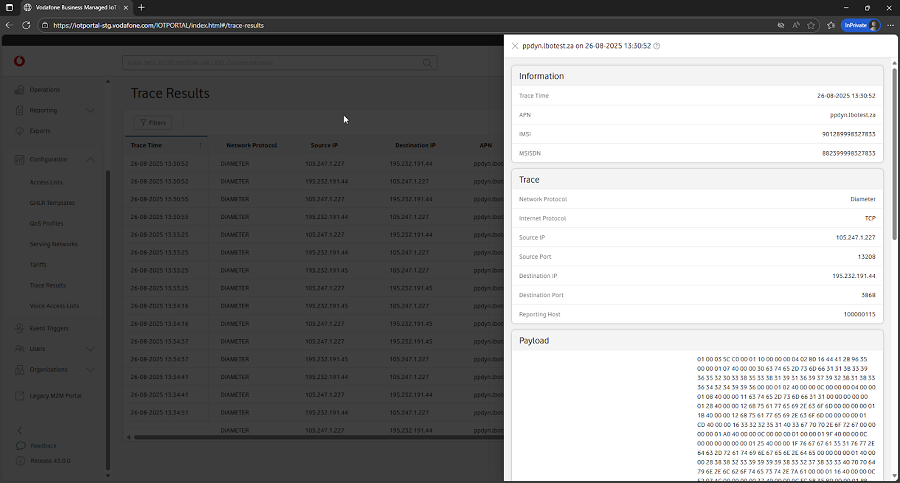
The details you can see are: Trace Time, Network Password, Destination IP, APN, IMSI, ICCID, and Internet Protocol.
You can use the Filters to search for the trace results you want to see. You can also customise the table by choosing the columns you want to be included using the Customise Table tab.
And you can view more detailed information about a trace result by following the steps below.
To view trace result details
From the menu on the left of the Vodafone Business Managed IoT Connectivity Platform Dashboard or home page, select Configuration then choose Trace Results from the dropdown menu that appears.
This takes you to the Trace Results section.
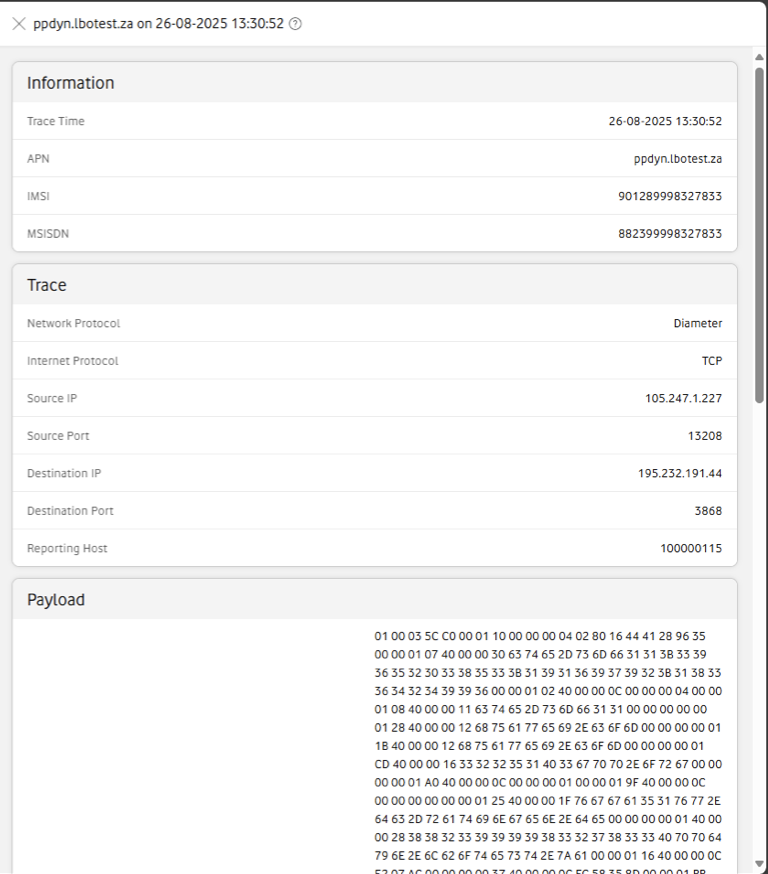
Click on a trace result to open the Details window, which is split into three sections: Information, Trace and Payload.
Can't find what you're looking for?

Your IoT administrator
Talk to the IoT administrator in your company. They understand your system best.

