Exporting a list of users
You can share a list of the Vodafone Business Managed IoT Connectivity Platform users in your organisation - or a selection of them - with colleagues who do not have access to the portal, as long as you have the necessary authorisation level. Say, for example, you want the HR department to check all the users listed still work for the company, you can export the User List as one of three different file types: CSV (the default option), PDF or XLSX.
If required, you can also export a list of SIMs from the SIM List. Either way, you'll receive a notification inviting you to download the file once the export request has been completed. If the export fails for any reason, you will also receive a notification asking you to try again.
You can find any exports you have created by clicking on Exports in the menu on the left hand side of the main Dashboard.
To export a list of users
- From the menu, select Users.
- Select the list of Users you want to export. You will not be able to create an export until you have selected the relevant rows:
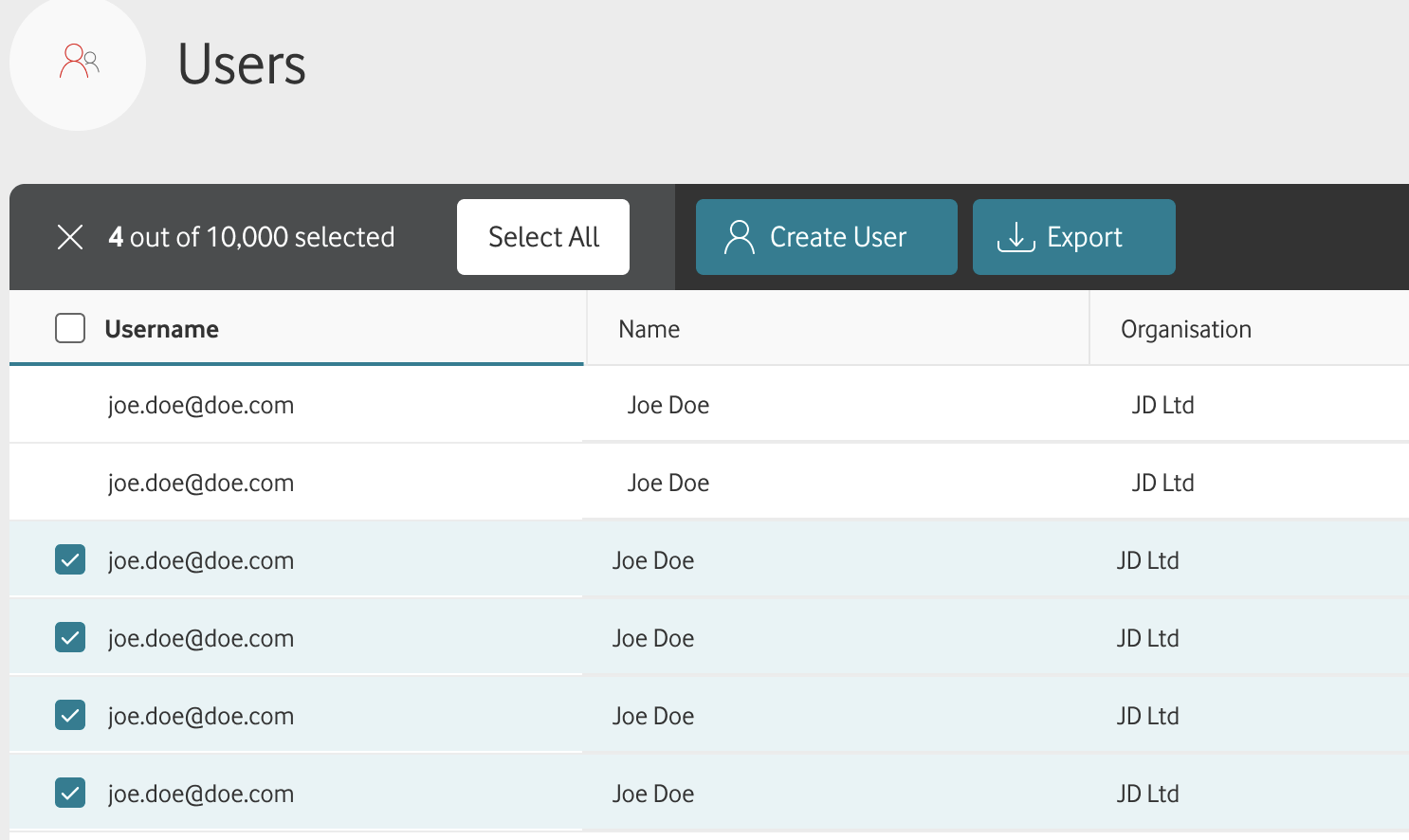
- Click on Export.
- Choose the file type you need (CSV, PDF or XLSX). Whichever one you choose, you can also choose whether or not to Export all columns:
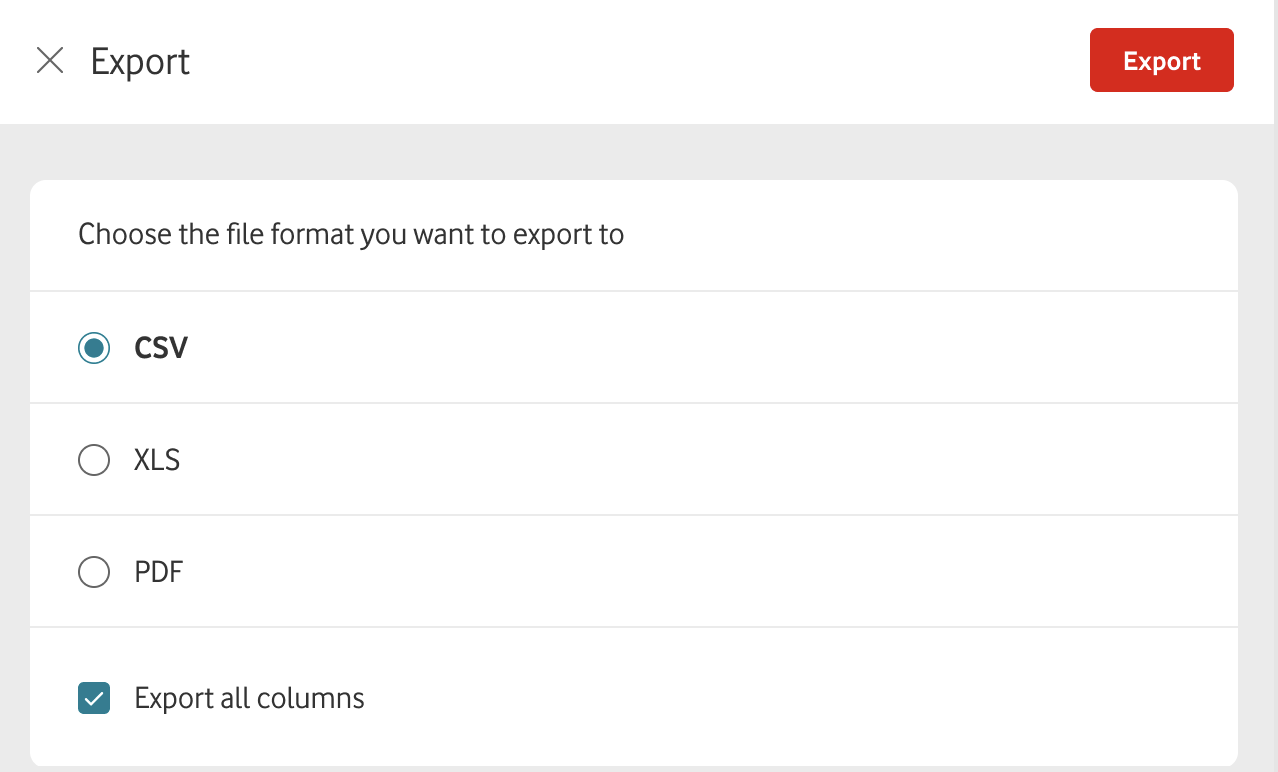
Confirm your choice. You can now download the file and share it as required.
Can't find what you're looking for?

Your IoT administrator
Talk to the IoT administrator in your company. They understand your system best.

