Deleting Voice Access Lists
It's easy to delete a voice access list in the Vodafone Managed IoT Connectivity Platform - as long as you have the authorisation to do so.
To delete a voice access list
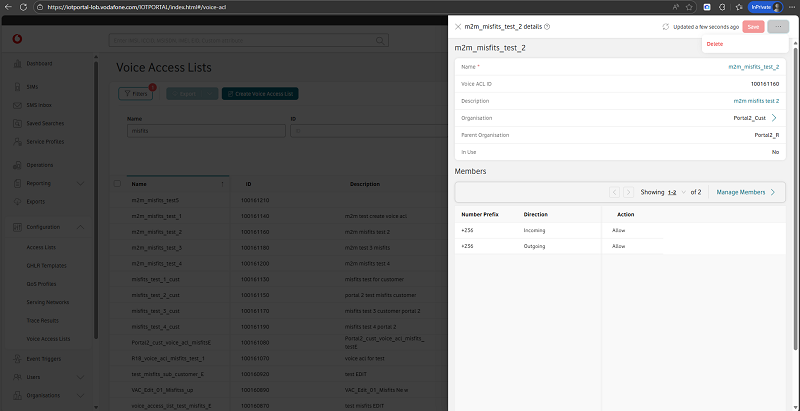
From the menu on the left of the Vodafone Managed IoT Connectivity Platform Dashboard or home page, select Configuration then choose Voice Access Lists from the dropdown menu that appears.
This takes you to the Voice Access Lists section, where you can select a list by clicking on its name.
You can then delete the selected voice access list by choosing Delete from the dropdown menu of Actions.
You will need to confirm the action by clicking on Yes Proceed in the window that appears.
Can't find what you're looking for?

Your IoT administrator
Talk to the IoT administrator in your company. They understand your system best.

