Exporting Voice Access Lists
You can export a voice access list from the Vodafone Managed IoT Connectivity Platform as a CSV, XLSX or PDF file, allowing you to share the data with colleagues who do not have access to the platform.
To export a voice access list
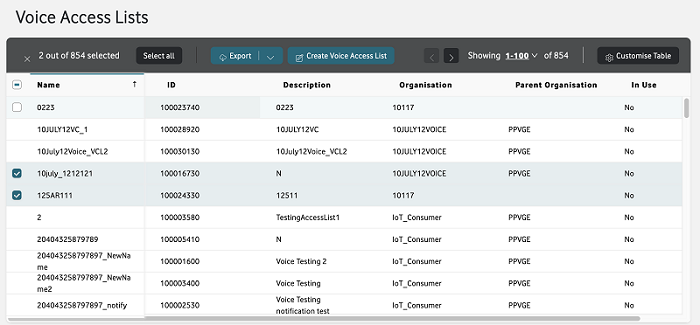
From the menu on the left of the Vodafone Managed IoT Connectivity Platform Dashboard or home page, select Configuration then choose Voice Access Lists from the dropdown menu that appears.
This takes you to the Voice Access Lists section.
To export the details of one or more voice access lists, activate the Export button at the top of the page by selecting the list or lists you want included.
Then click on Export to open the Export window where you can choose the file format and the information you want to export.
Can't find what you're looking for?

Your IoT administrator
Talk to the IoT administrator in your company. They understand your system best.

